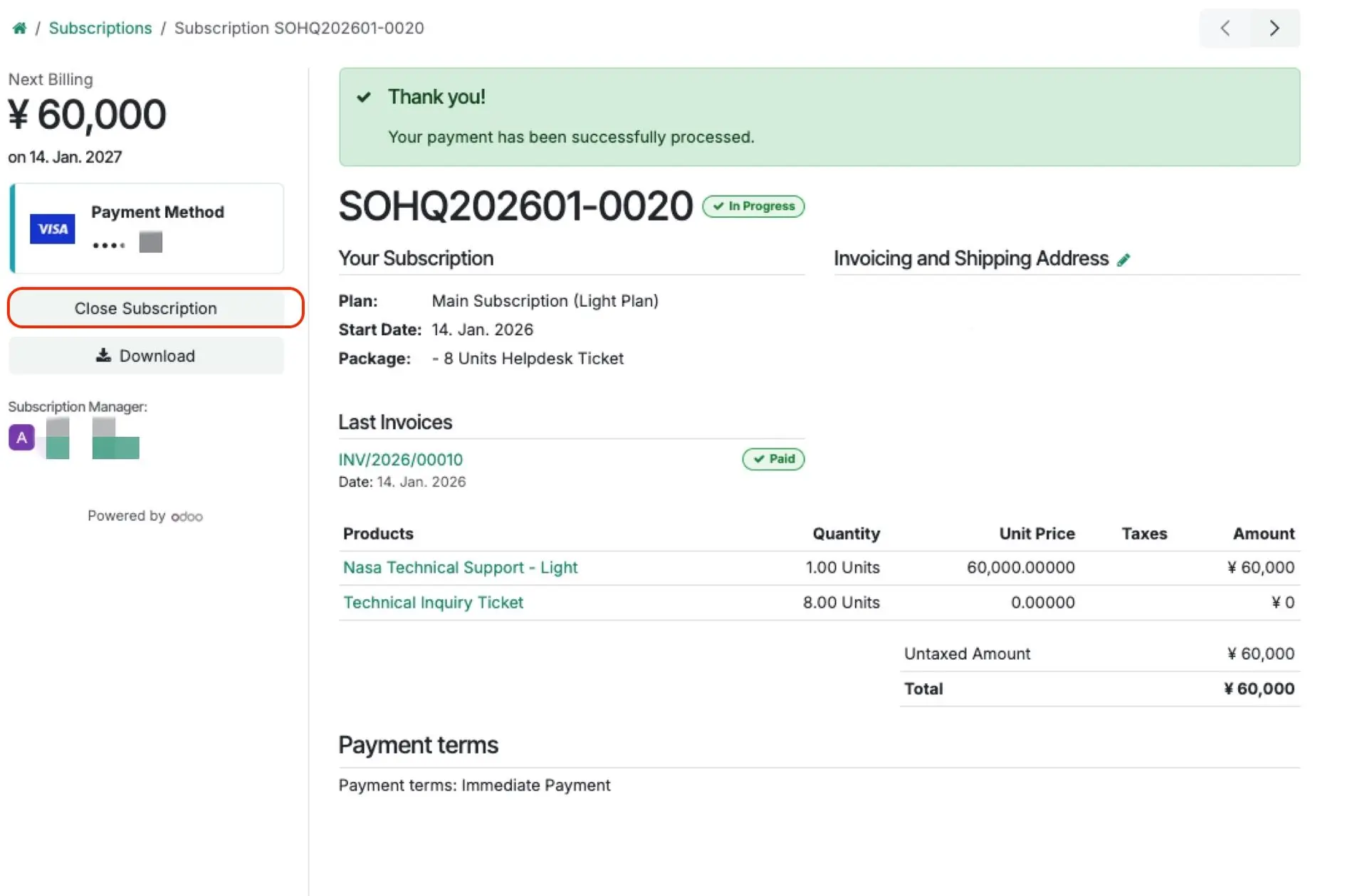
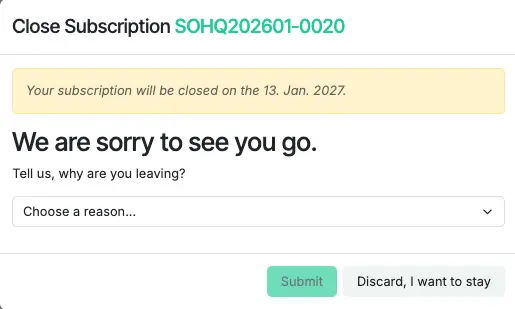
How to Close the Subscription (Unsubscribe)
- After closing the subscription, you can continue using your current plan until the end of the subscription period.
- You can purchase a new subscription plan starting 14 days before the end of your current subscription period.
- If you do not complete the steps below, your subscription will automatically renew.
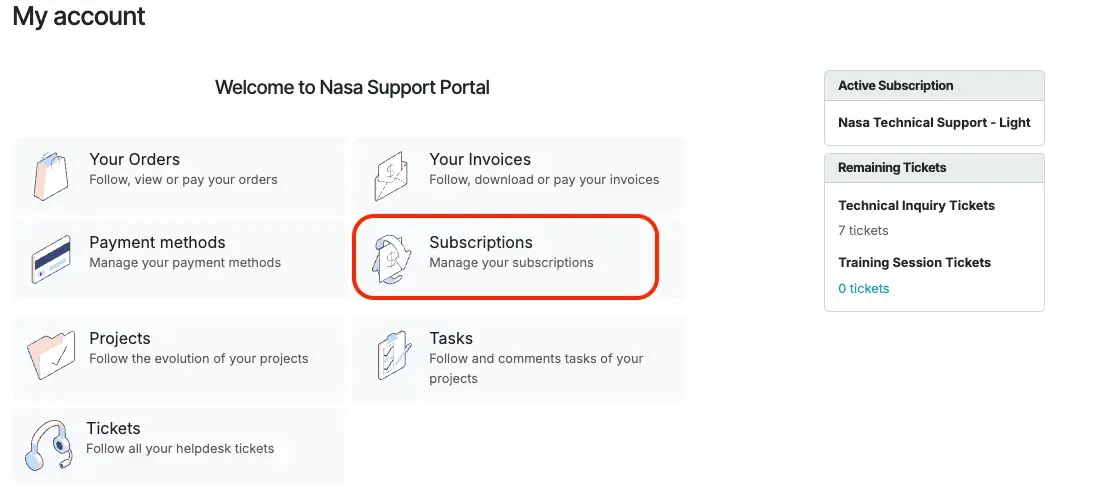
1. Select Subscriptions From My Account
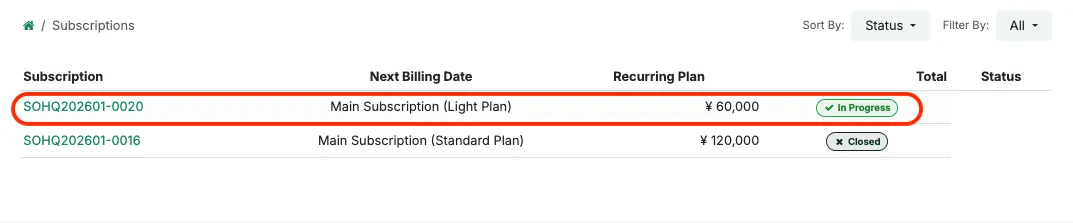
2. Select the Subscription you wish to close
The plan shown as In Progress is the subscription that is currently active for your company.
3. Click Close Subscription